
Watches everything. Touches nothing.
Curious what is happening on TRON and Ethereum? Give MuWatch any public address and it reads that address's story from the chain: balances, every transfer, the fees it paid, and who it deals with. It holds no keys and cannot move a coin.
Read the chain.
MuWatch is a tool for reading the chain, for anyone interested in, or curious about, what is happening on TRON and Ethereum. You add public addresses — your own, a partner's, a stranger's — and everything it reads exports to Excel.
Only a scan reads history, and only when you press it. Opening a wallet's page, or a row on Safety, still asks the chain one live question about that wallet.
- Scan — reads whatever is new on the chain, then says what it read, what changed, and what is worth your attention
- Dashboard — what every wallet holds, grouped by portfolio, with in, out and net
- Safety — can this wallet still spend, is it still under only its own control (another signer on TRON; delegated code or a contract account on Ethereum), and which contracts have an unlimited approval on your tokens
- Counterparties — everyone you have paid and everyone who has paid you, plus the counterfeit register and the junk-token list
- Links and Explore — the money moving between your own wallets, and the picture of the partners and strangers they deal with
- Fees — TRX burned and, for Ethereum wallets, gas paid in ETH, month by month, valued at the day's price and at today's
- Prices — TRX priced from the TRON chain itself, ETH from Chainlink's ETH/USD feed on Ethereum, each read with your own key
- Everything exports to Excel — every wallet's full history: one row per transaction, hash linked to the explorer, times in UTC, numbers that add up. The fleet workbook gives the totals — wallets, balances, burn, counterparties, counterfeits, prices.
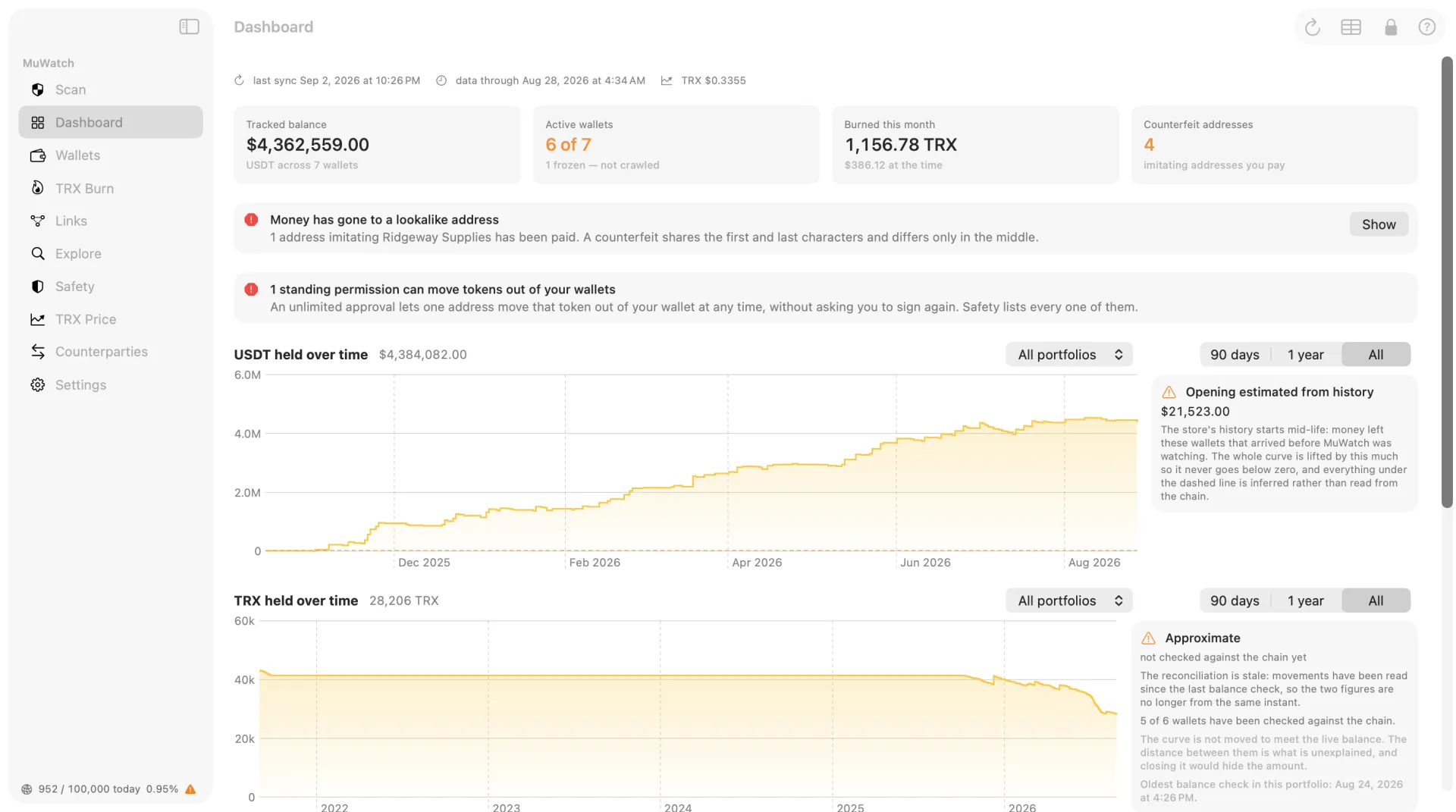
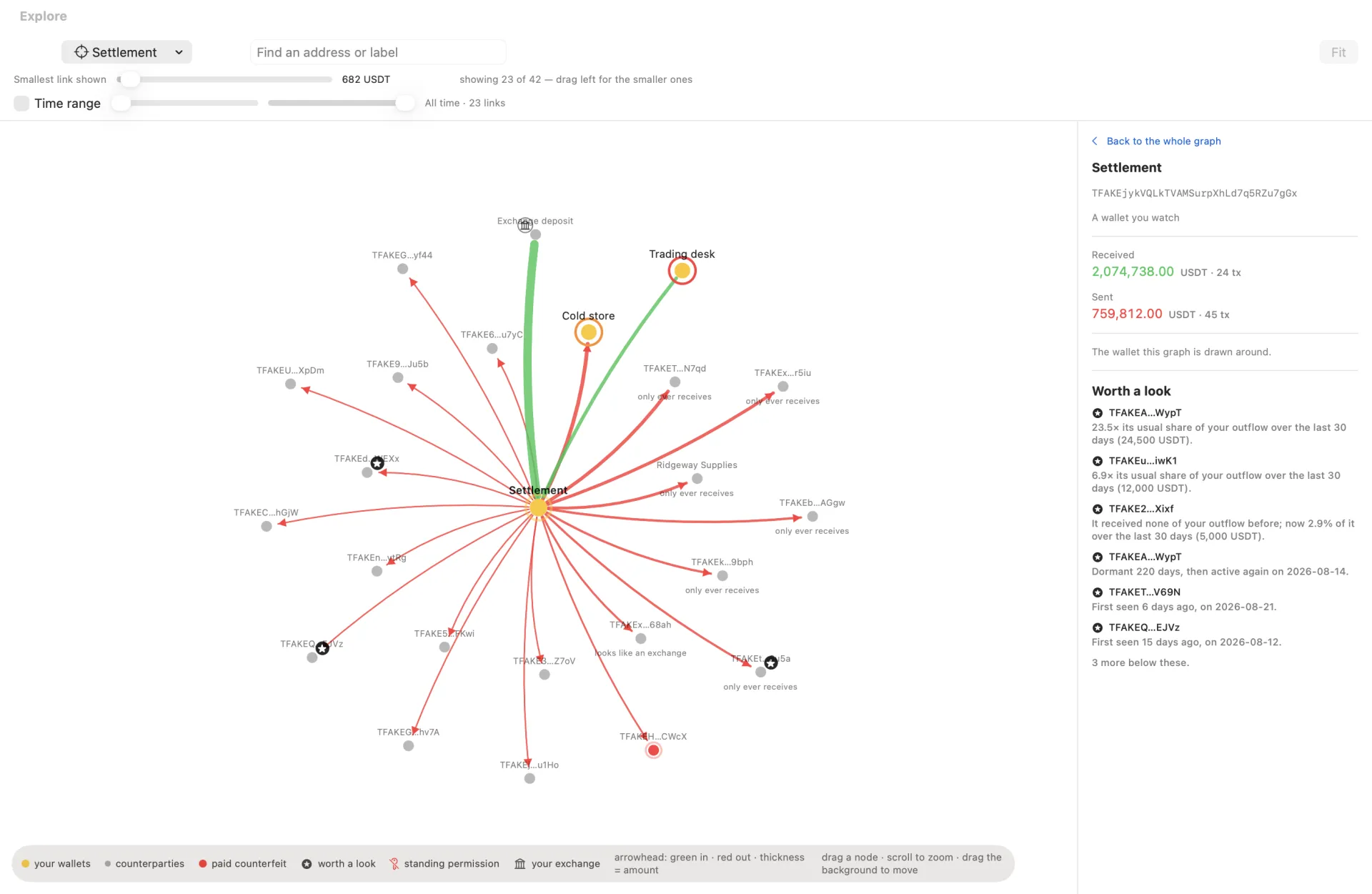
One wallet you check. Twenty you don't.
With one wallet you would look it up on a block explorer. With twenty you stop checking, and that is when things go wrong quietly. Four things cost real money on TRON and Ethereum, and none of them announce themselves: a wallet gets blocked, somebody else becomes a signer, an approval you forgot drains a token, or you pay a copy of a real address.
Every one of those is legitimate from your key's point of view, which is why a hardware wallet cannot help with any of them. They are visible only if somebody looks — and looking across twenty wallets by hand is what nobody does. MuWatch does the looking: each scan checks every wallet you watch.
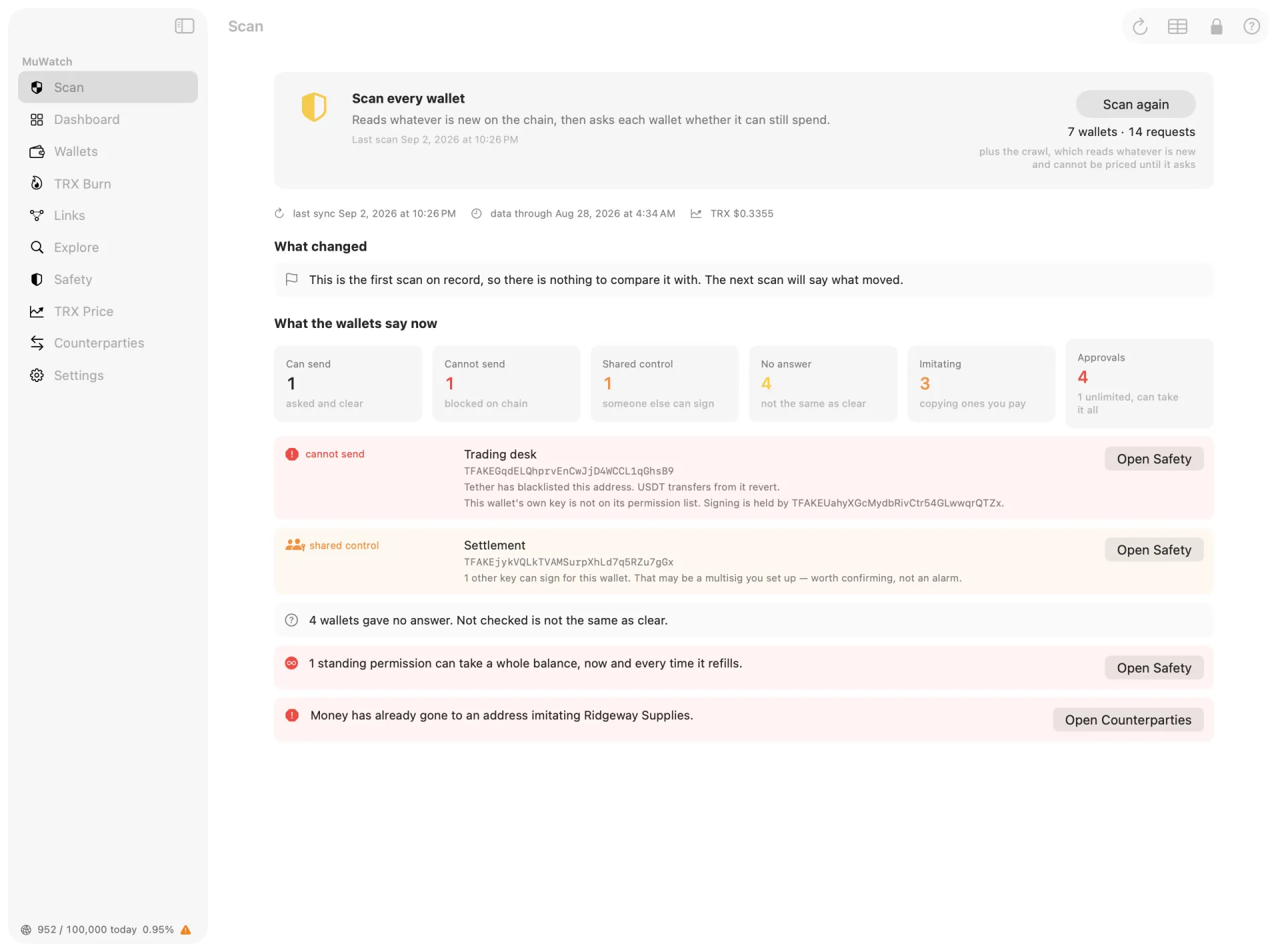
The four that cost real money.
A wallet is blocked
USDT on TRON and on Ethereum are contracts written by Tether, each with a blacklist in it. Tether can add any address to either one, and from that moment every USDT transfer out of that address fails. Money sent to it still lands, and then cannot leave. The balance still shows. It simply will not move out.
Somebody else becomes a signer
A TRON account can have more than one signing key, and a key can be added to it. Your wallet still works afterwards. So does theirs.
An approval you forgot drains a token
Letting a contract move your USDT is a permission you grant once, usually unlimited. It does not expire, and it needs no signature from you later.
You pay a copy of a real address
A near-twin sits in your history sharing the first six and last four characters of somebody you pay — on Ethereum, the six characters right after the 0x. Copy it by glance and the money is gone. A hardware wallet signs that transfer correctly, because nothing about it is wrong except where it goes.
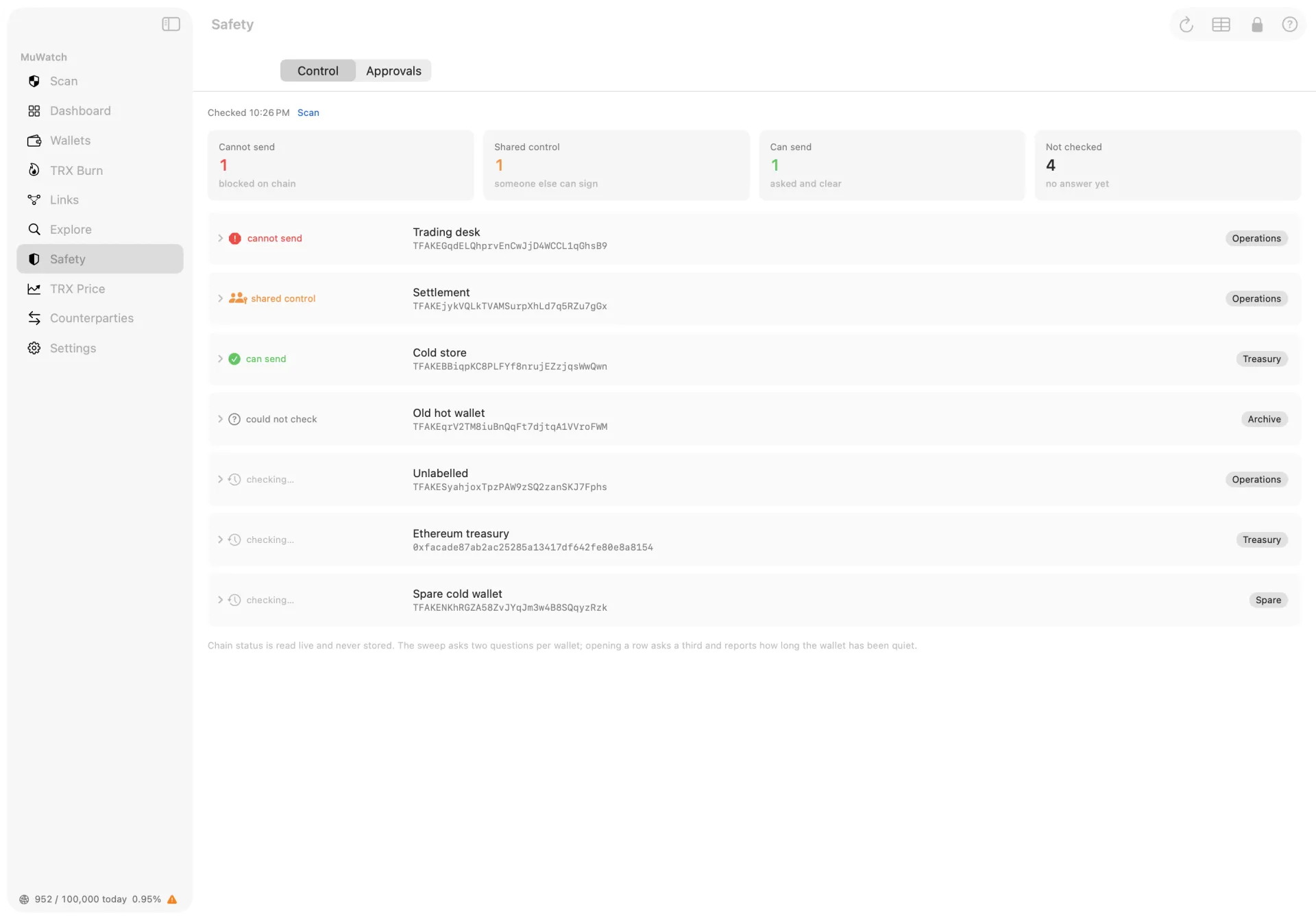
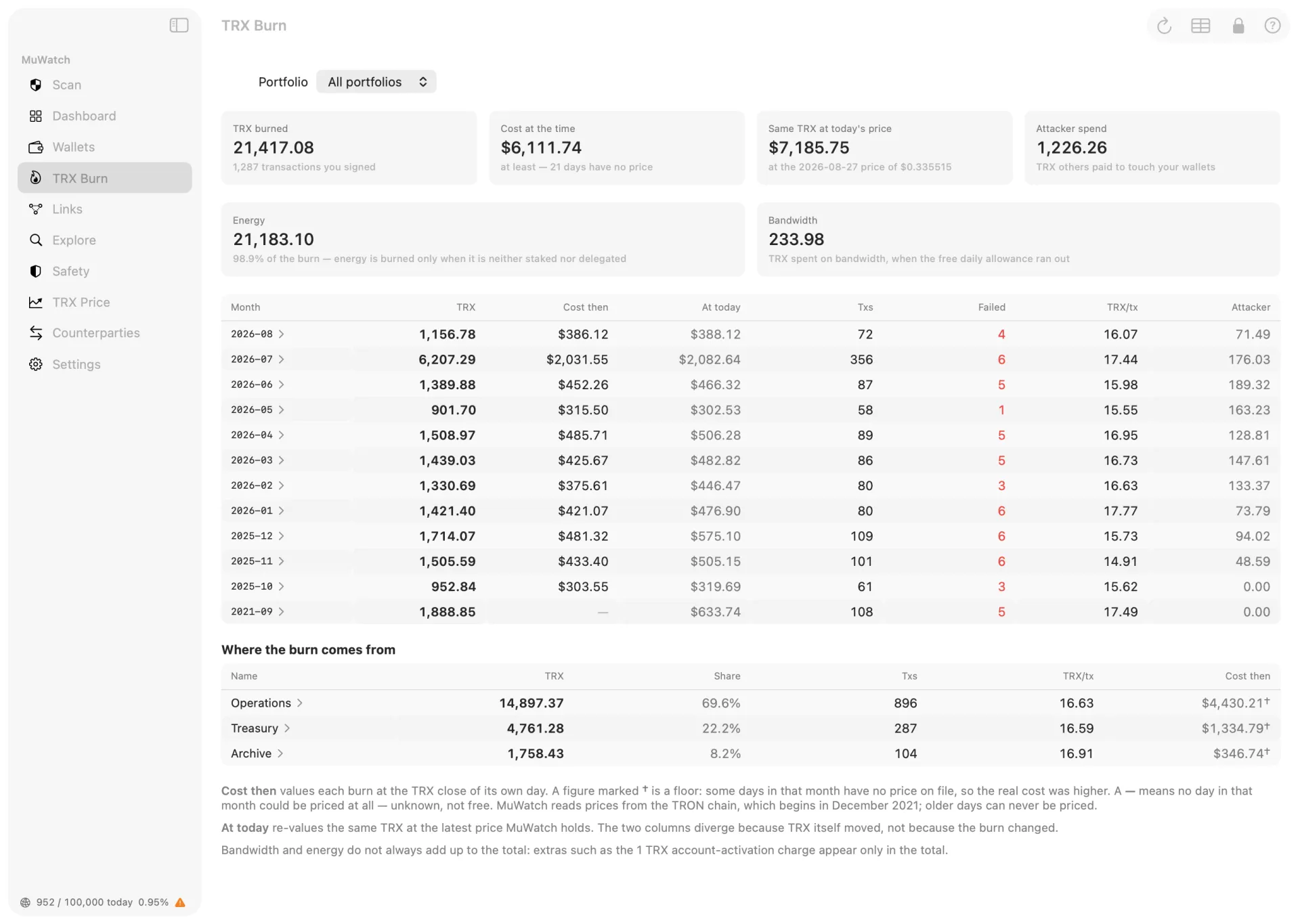
Everything in these pictures is invented for the screenshots — the wallets, the names, the figures and the addresses. The addresses were generated at random for these pictures: nothing here is anybody’s account.
What MuWatch cannot do.
It is watch-only. MuWatch holds no private keys, cannot sign anything, and cannot send anything anywhere. There is no way to move money with it, by mistake or otherwise.
That also means it cannot fix what it finds. It tells you what is true and where the fix lives — the approval to revoke, the address to stop paying — and you do it in the wallet that holds your keys. Its safety checks run on both chains.
Nothing leaves your Mac.
There is no account, no server and no telemetry. Everything MuWatch stores sits in one encrypted database on your Mac — SQLCipher with AES-256, unlocked by a passphrase you choose. There is no recovery and no back door, including for us.
It reads TRON through your own free TronGrid key and Ethereum through your own free Etherscan key — each lives in your Mac's Keychain and is sent only to its own service. Read the privacy policy.
What MuWatch needs.
macOS 14 or later, a free TronGrid account, and a free Etherscan account if you watch Ethereum wallets. Registration takes about two minutes at trongrid.io and etherscan.io; you paste each key into Settings, and MuWatch checks it against the live API before saving, so you learn immediately whether it works.
Free to download. The 14-day free trial starts when you press Start free trial — it is a free item in the app — and everything works during it. After that, a one-time purchase keeps MuWatch working: not a subscription, and the price is shown in the App Store. Your wallets and history stay on your Mac either way; nothing is deleted when a trial ends.
English and Simplified Chinese throughout, including the manual.
Questions
Is MuWatch a wallet?
No. A wallet holds keys and sends money; MuWatch does neither. You give it addresses to watch, and it reads what the TRON and Ethereum blockchains already publish about them. There is nothing in it to send with.
Does MuWatch hold my private keys?
No. MuWatch never asks for a private key or a seed phrase and cannot use one. All it ever needs is a public address, which is safe to share.
Can MuWatch move my money?
No. It cannot sign anything and cannot send anything anywhere. That also means it cannot fix what it finds: it tells you what is true and where the fix lives — the approval to revoke, the address to stop paying — and you do it in the wallet that holds your keys.
What is a blacklisted USDT wallet?
USDT on TRON and on Ethereum are contracts written by Tether, each with a blacklist in it. Tether can add any address to either one, and from that moment every USDT transfer out of that address fails. Money sent to it still lands, and then cannot leave. The balance still shows and the money is genuinely there; it simply cannot move out, and no key can move it. It applies to one token at a time, so a wallet blocked on USDT still sends TRX normally. MuWatch asks the USDT contract directly on every scan rather than trusting anything it stored earlier, and marks a blocked wallet in red.
What is an unlimited approval?
An approval is standing permission for a contract to take a token out of your wallet without asking you again. Almost every one is written as unlimited, because that is the default nearly every website asks for, and it does not expire. MuWatch lists every approval your wallets have granted, and calls an unlimited one what it is: it can take the whole balance, now and whenever it refills.
What does MuWatch cost?
Free to download. The 14-day free trial starts when you press Start free trial — the trial is a free item in the app and costs nothing — and everything works during it, with no reduced mode. After that, a one-time purchase keeps MuWatch working for good: not a subscription, and the price is shown in the App Store. When a trial ends nothing is deleted: your wallets, history and labels stay exactly where they are on your Mac and reappear the moment the app is unlocked.
Does my data leave my Mac?
No. There is no account, no server and no telemetry. Everything MuWatch stores sits in one encrypted database on your Mac — SQLCipher with AES-256, unlocked by a passphrase you choose, with no recovery and no back door. It reads TRON through your own free TronGrid key and Ethereum through your own free Etherscan key; each is kept in your Mac's Keychain and sent only to its own service.
Which blockchains does MuWatch read?
TRON and Ethereum. Safety checks run on both chains: Tether's blacklist is checked live on each, and every approval is checked on both. Who controls a wallet is asked the way each chain can actually answer it — on TRON, who else can sign; on Ethereum, whether the wallet's code has been delegated or the wallet is a contract account. The counterfeit register runs on both too. Reading Ethereum needs your own free Etherscan key; without one those wallets are skipped and the scan says so.
Can I get my transactions into Excel?
Yes, two ways. A wallet's own page has an Export that writes a workbook for that wallet alone: a monthly balance ladder, then every transaction as its own row — time in UTC, the transaction hash linked to the block explorer, and amounts as real numbers you can sum or chart. The main Export instead writes one workbook for your whole fleet, with six sheets of totals — wallets, balances, TRX burn, counterparties, the counterfeit register, TRX prices — plus an ETH Gas sheet when you watch Ethereum wallets — and no individual transactions, on purpose.
Get MuWatch
 On the Mac App Store · Free download · 14-day free trial · macOS 14+